Ready-to-spin wheels
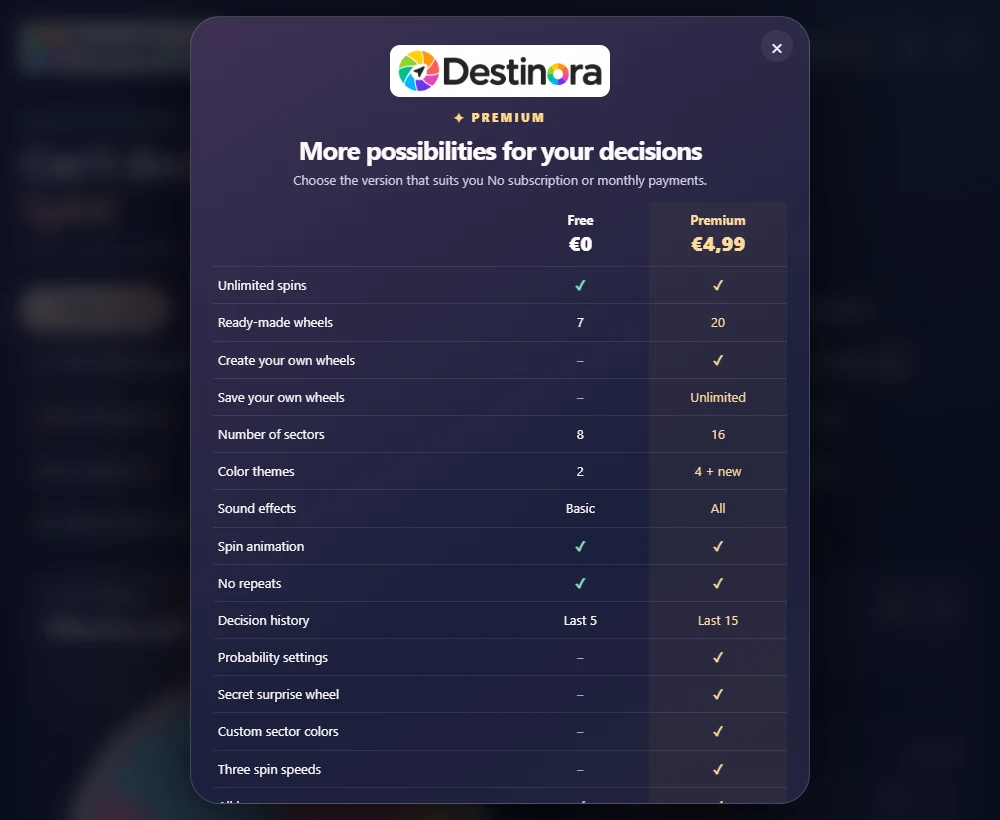
Start with seven free wheels for everyday decisions. Premium opens the full collection of 20.

Decision wheel
What’s for dinner? Which film should we watch? Who goes first? Pick a Destinora wheel, spin it and let chance make the call.
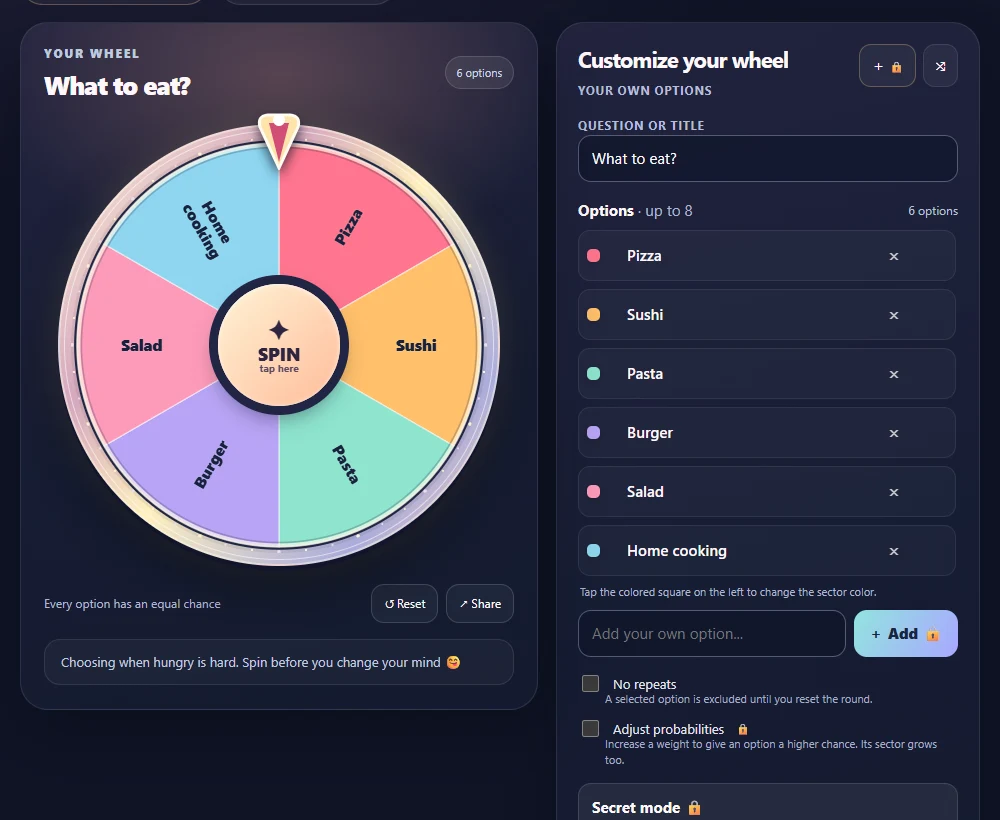
Start with seven free wheels for everyday decisions. Premium opens the full collection of 20.
With Premium, build and save your own wheels with up to 16 options, custom colours and adjustable odds.
Premium’s secret mode reveals only the winning option. Switch on No repeats to exclude previous winners from the next spin.

Open Destinora and choose a ready-made wheel that fits the decision you want to make.
Press the centre of the wheel, wait for it to stop and see which option wins.
Open Destinora and select “Install app”. Installation is free, and the Free version has no time limit. If the browser does not open an install prompt, follow the steps for your device.
In Chrome, open the ⋮ menu and select the app install option. If you see Add to Home screen, open it and tap Install.
In Safari, open the Share menu and choose Add to Home Screen. Turn on Open as Web App if shown, then tap Add.
In Chrome or Edge, select the install icon in the address bar or look for the app install option in the browser menu. In Safari on macOS Sonoma 14 or later, choose File → Add to Dock.
Once installed, launch Destinora from its icon in a separate window. Settings and results are stored on your device. Updates arrive when you are online and require no reinstallation.
Yes. The Free version includes seven ready-made wheels and does not require a purchase.
Premium is priced at €4.99 as a one-time purchase. Premium will be available once payments are enabled.
Saved wheels and recent results stay in your browser on the device you’re using.
Yes. You can install Destinora for free on Android, iPhone, iPad, Windows and macOS using a supported browser. Select “Install app” in Destinora.
No reviews have been published yet.
AI assistant
A smart assistant for ideas, plans, writing and everyday tasks.